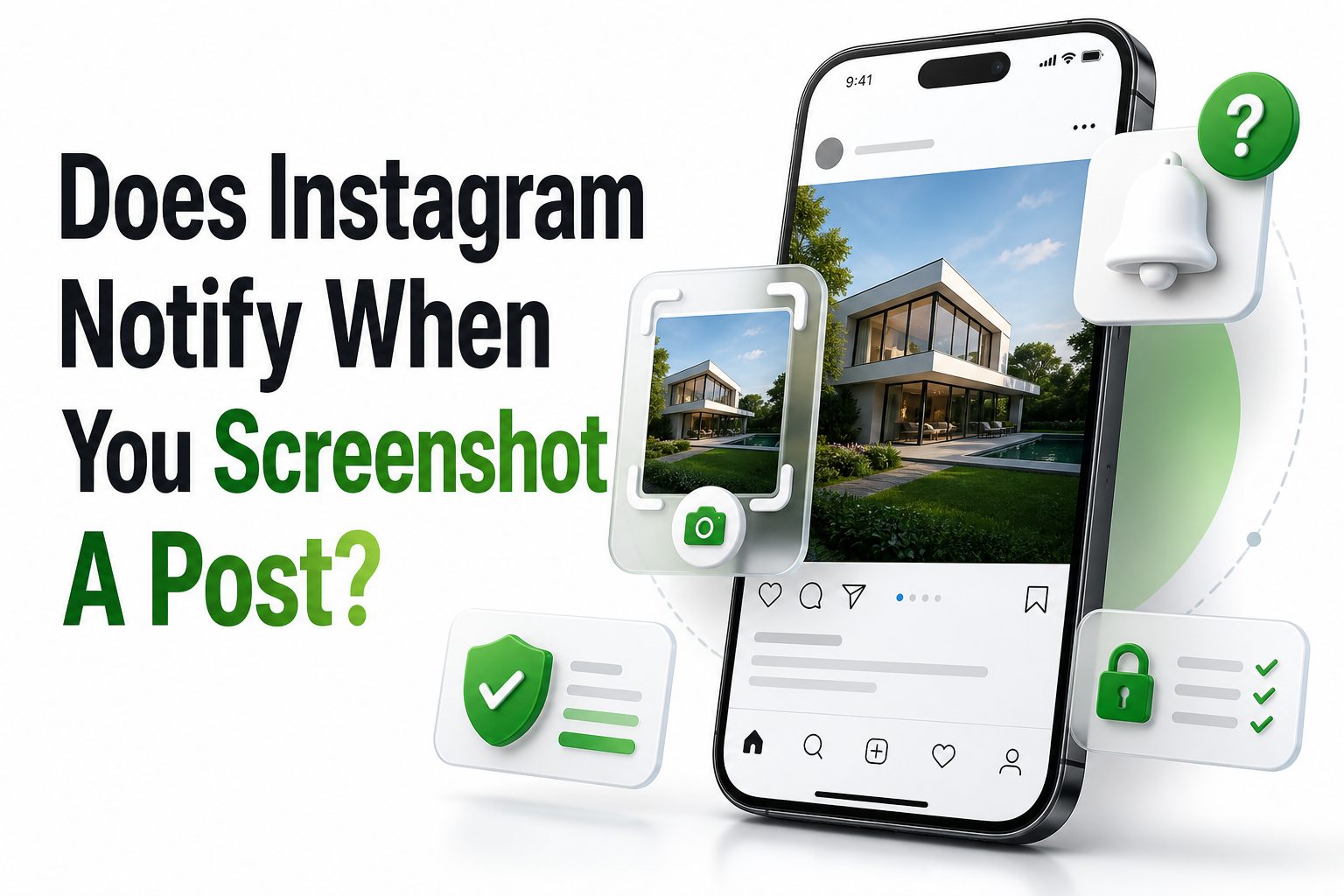
Most Instagram users have wondered at least once whether taking a screenshot will quietly save something or send an awkward alert. Maybe you want to remember an outfit, keep a recipe, save a travel idea, or capture a post before it disappears from your feed. The concern is simple: does Instagram notify when you screenshot a post, or can the creator see what you did.
The short answer is no. Instagram does not notify someone when you screenshot a regular feed post, carousel, Reel, profile, comment, or Story. The main exception involves disappearing photos and videos sent through Instagram Direct, especially view-once or temporary media. That difference matters because Instagram treats public and semi-public content differently from private disappearing messages. This article explains exactly what happens, where notifications may appear, and how to use screenshots responsibly without relying on rumors.
Does Instagram Notify Screenshots of Feed Posts
Instagram does not send a notification when you screenshot a normal feed post. This includes single-image posts, carousel posts, videos in the feed, and caption areas. The creator will not receive an alert, message, viewer mark, or activity update showing that you captured their content.
This rule applies whether the account is public or private, as long as you can already view the post. A private account still controls who can see its content, but Instagram does not add screenshot tracking to regular feed posts once access is granted.
Why Instagram Treats Posts Differently From Private Messages
Feed posts are designed for visibility, sharing, saving, and engagement. Instagram already gives users tools such as saves, shares, likes, comments, and insights for business or creator accounts. Screenshot notifications are not part of that standard post activity system.
Private disappearing media is different because the sender chooses a temporary viewing format. Instagram’s Help Center explains disappearing photos and videos in chats separately from ordinary posts. That is why screenshot alerts are tied to temporary Direct Message content, not everyday feed browsing.
Quick Instagram Screenshot Facts
- Feed posts do not trigger screenshot notifications.
- Carousel posts do not trigger screenshot notifications.
- Reels do not trigger screenshot notifications.
- Stories do not currently trigger screenshot notifications.
- Regular Direct Messages do not usually trigger screenshot notifications.
- Disappearing photos and videos in Instagram chats may trigger alerts.
- Instagram Help Center source: https://www.facebook.com/help/instagram/1310346208996329
Does Instagram Notify When You Screenshot a Carousel Post
A carousel post works the same way as a single photo post. If you swipe through multiple images or videos and screenshot one slide, Instagram does not notify the person who posted it. The action stays on your device and does not appear in their notifications.
This is useful for saving multi-step tutorials, product comparisons, restaurant menus, workout plans, or event details. Still, a screenshot is not the same as permission to repost. If you plan to reuse someone’s image publicly, ask for permission or credit the creator appropriately.
Does Instagram Notify When You Screenshot a Reel
Instagram does not notify users when you screenshot a Reel. It also does not send a standard notification when you screen record a normal Reel. Creators may see views, likes, comments, saves, and shares, but screenshots are not shown in Reel analytics.
That said, Reels are often original creative work. Saving something for personal reference is one thing; reposting someone’s video, joke, tutorial, or edit without permission is another. Respecting creator rights matters even when the app does not notify them.
Post Screenshot Comparison Table
Content Type | Screenshot Notification | Notes
Feed photo | No | Applies to public and private posts you can view
Carousel post | No | No alert for any slide
Feed video | No | Treated like a regular post
Reel | No | Creator will not see a screenshot alert
Caption or comments | No | No notification for captured text
Profile grid | No | No alert when capturing visible profile content
Does Instagram Notify When You Screenshot a Story
Instagram does not notify someone when you screenshot their Story. The person can usually see that you viewed the Story while the viewer list is available, but they cannot see whether you captured it. A screenshot does not create a separate alert.
This is one reason the topic remains confusing. Instagram tested Story screenshot notifications years ago, which led many users to believe the feature still exists. As of now, regular Story screenshots are not reported to the person who posted them.
Does Instagram Notify When You Screenshot Highlights
Highlights follow the same general rule as Stories. If you screenshot a Highlight from someone’s profile, Instagram does not send that person a notification. Highlights are saved Stories, but screenshot behavior does not change because they are pinned to a profile.
The person may still control visibility through account privacy, close friends settings, or blocking. Those settings affect who can view the content in the first place. They do not create a screenshot alert once the Highlight is visible to you.
Practical Screenshot Checklist
- Check whether the content is a regular post, Story, Reel, or DM.
- Treat disappearing or view-once messages as screenshot-sensitive.
- Avoid reposting someone’s content without permission.
- Use Instagram’s Save feature when you only need a personal bookmark.
- Keep screenshots private if they include personal details.
- For updated platform rules, check Instagram’s Help Center.
When Instagram Does Notify About Screenshots
Instagram may notify someone when you screenshot a disappearing photo or video sent in a chat. This usually applies to media sent through the in-chat camera with view-once or replay settings. The sender may see a screenshot status or icon in the conversation.
This does not mean every DM screenshot triggers an alert. Standard text messages, shared posts, regular photos, voice notes, and normal chat content are different. The notification risk is mainly tied to temporary media designed to disappear after viewing.
How Disappearing Photos and Videos Work
Disappearing photos and videos are sent inside Instagram Direct using temporary viewing options. A sender may choose whether the recipient can view the media once, replay it, or keep it in the chat. Screenshot alerts are connected to those temporary privacy expectations.
Instagram separates these messages from ordinary shared content because the sender is making a specific choice about visibility. If something is labeled view once or appears as disappearing media, assume the sender may be informed if you capture it.
Does Instagram Notify When You Screenshot a Regular DM
Instagram does not normally notify someone when you screenshot a standard DM conversation. If you capture text, a regular photo, a shared Reel, a profile link, or a non-disappearing image, the other person typically does not receive an alert.
Still, private conversations deserve care. A screenshot can preserve words or images the other person expected to stay within the chat. Even when Instagram stays silent, sharing private messages outside the conversation can damage trust or create legal and workplace issues.
Does Vanish Mode Change Screenshot Notifications
Vanish Mode is built for temporary conversations, so screenshot behavior can be more sensitive there. If someone takes a screenshot in a temporary chat environment, Instagram may show a notice inside the conversation to help both people understand what happened.
The safest rule is simple: if a message is temporary, disappearing, or sent in a privacy-focused chat mode, do not assume screenshots are invisible. Instagram changes features over time, and temporary messaging tools are where notification rules are most likely to apply.
DM Screenshot Notification Guide
DM Content Type | Notification Likely | What It Means
Regular text message | No | Standard chat screenshots are usually silent
Shared feed post | No | Sharing a post in DM does not make it disappearing
Regular photo upload | No | Normal images stay in chat without screenshot alerts
Voice message | No | No standard screenshot notification
View-once photo | Yes | Sender may see a screenshot status
Disappearing video | Yes | Temporary media is treated differently
Vanish Mode chat | Possible | Temporary chat features may show capture notices
Why People Think Instagram Notifies for Every Screenshot
A lot of confusion comes from old updates, social media rumors, and comparisons with Snapchat. Instagram has tested different privacy features in the past, and users often remember those tests long after they disappear. That history keeps the question alive.
Another reason is that Instagram does notify users about many other activities. Story views, likes, comments, follows, tags, mentions, and message reads can all be visible. Because so much activity is tracked, people assume screenshots must be tracked too.
What Creators Can See Instead
Creators cannot see who screenshots a regular post, but they can see other engagement signals. Depending on account type, they may see reach, impressions, saves, shares, comments, profile visits, and Reel performance. These metrics show interest without identifying screenshot behavior.
For business and creator accounts, Instagram Insights can reveal that content is being saved or shared more often than usual. It still does not show a list of people who took screenshots. A screenshot remains separate from Instagram’s built-in engagement actions.
Private Accounts and Screenshot Privacy
If an account is private, only approved followers can see its posts, Stories, and profile content. However, Instagram still does not notify private account owners when an approved follower screenshots a regular post. Privacy controls limit access, not screenshot capture.
This is important for both viewers and account owners. A private account reduces exposure, but it cannot fully prevent someone from saving visible content. If something is highly sensitive, it is better not to post it, even behind follower approval.
What Private Account Owners Should Know
Private accounts are useful, but they are not a complete content protection system. Approved followers can still screenshot, screen record, or photograph content with another device. Instagram cannot guarantee that anything visible on a screen will remain unsaved.
If you manage a personal brand, family account, or small community page, be selective with follower approvals. Review your follower list occasionally and remove accounts you do not trust. Privacy settings work best when paired with careful audience management.
Tips for Safer Instagram Sharing
- Use Close Friends for more limited Story sharing.
- Remove followers who no longer need access.
- Avoid posting sensitive documents, addresses, or private locations.
- Remember that screenshots can happen without alerts.
- Use disappearing media only when you accept the notification limits.
- Watermark original creative work when reposting risk is high.
Screen Recording and Instagram Notifications
For regular Instagram content, screen recording usually follows the same pattern as screenshots. Recording a feed post, Story, profile, or Reel does not normally notify the creator. Instagram may track views or interactions, but not standard screen captures.
Temporary DM media is the area where screen recording can behave differently. If a disappearing photo or video is recorded, Instagram may block the attempt or notify the sender. Device type, app version, and feature changes can affect the exact behavior.
Does Instagram Notify From Desktop Screenshots
Taking a screenshot of Instagram on a desktop browser does not notify someone when you capture a regular post, Reel, Story, profile, or comment. Browser screenshots are handled by your computer, outside the normal Instagram app notification flow.
However, desktop access does not give permission to misuse content. Copyright, privacy, and platform rules still apply. A screenshot taken from a browser can still create problems if it is used to impersonate, harass, expose private details, or repost protected work.
Better Alternatives to Screenshotting Posts
Instagram’s Save feature is often better than a screenshot when you simply want to revisit a post. Saving keeps the post in your private collection and helps you organize recipes, travel ideas, design references, products, workouts, or educational content.
You can also create collections for different topics. For example, a creator planning content ideas might save posts into folders for captions, lighting, hooks, or layout inspiration. For more help, see [Internal Link: Instagram Content Strategy Tips].
When a Screenshot Makes More Sense
A screenshot is useful when you need to capture details that may change, such as a limited-time announcement, a comment thread, an event date, or a product price. It creates a fixed record that does not depend on the post staying live.
Screenshots are also practical for personal notes, research, customer support issues, or reporting harmful behavior. If the screenshot includes someone else’s private information, store it carefully and avoid sharing it beyond the purpose that made the capture necessary.
Screenshot Versus Save Feature
Option | Best For | Privacy Impact
Screenshot | Capturing a fixed record | Stored on your device
Save feature | Revisiting posts later | Private Instagram bookmark
Share to DM | Sending a post to someone | Visible in your chat
Copy link | Referencing public content | Works only if content remains available
Archive your own post | Hiding your content | Applies only to your account
Responsible Screenshot Etiquette
Instagram may not notify people about most screenshots, but etiquette still matters. A creator’s post can be public without being free for any use. Saving an idea privately is different from reposting, editing, mocking, or using someone’s content commercially.
When in doubt, ask permission. This is especially important for personal photos, children’s images, private events, artwork, client work, small business products, and educational materials. A quick message can prevent misunderstandings and keeps your use of content respectful.
Legal and Copyright Considerations
A screenshot can include copyrighted photos, videos, artwork, captions, graphics, or branded material. Taking a screenshot for personal reference is usually low risk, but republishing it can raise copyright concerns. Commercial use requires even more caution.
Privacy laws vary by location, and context matters. Sharing screenshots of private conversations, personal data, medical information, financial details, or workplace messages can cause serious consequences. For sensitive situations, treat screenshots as records that should be handled carefully.
Common Myths About Instagram Screenshot Alerts
One common myth is that third-party apps can show who screenshotted your Instagram posts. Be careful with these claims. Instagram does not provide a public feature that reveals screenshot takers for regular posts, and suspicious apps may risk your account security.
Another myth is that airplane mode is needed for every screenshot. For normal posts, Stories, Reels, and profiles, it is unnecessary because Instagram does not notify anyway. Workarounds mainly get discussed around disappearing DMs, where privacy expectations are different.
How to Spot Bad Screenshot Advice
Bad advice often promises secret tracking tools, hidden viewer lists, or guaranteed ways to see who saved your content. These claims are usually misleading. Instagram’s official tools do not provide a list of people who screenshot regular posts.
Be cautious with websites or apps asking for your Instagram login. Giving credentials to untrusted services can expose your account, messages, and followers. For account protection tips, see [Internal Link: Instagram Account Security Guide].
Important Safety Reminders
- Do not trust apps claiming to reveal post screenshot activity.
- Avoid entering your Instagram password into unknown tools.
- Use two-factor authentication for better account protection.
- Report impersonation or harassment through Instagram’s reporting tools.
- Screenshot evidence when needed, but store it responsibly.
- Check official Instagram Help pages when privacy features change.
How Brands Should Think About Screenshots
For brands, screenshots are not necessarily bad. People often screenshot posts because they are interested in a product, sale, menu, location, tutorial, or idea. A screenshot can be a sign that your content was useful enough to keep.
Since brands cannot track screenshots directly, they should optimize for measurable actions. Clear captions, strong calls to action, saved-post value, link stickers, product tags, and pinned comments can turn passive interest into clicks, saves, messages, or purchases.
Content Ideas That People Save Instead of Screenshot
Educational posts, checklists, price guides, before-and-after examples, templates, and step-by-step visuals tend to earn saves. These formats give users a reason to come back without needing a screenshot. They also provide stronger engagement signals inside Instagram.
If you want fewer screenshots and more measurable saves, say something useful in the caption and make the post easy to reference later. Simple design, clear labels, and accurate information help users trust the content enough to save it.
How To Protect Your Own Instagram Content
You cannot fully stop screenshots, but you can reduce misuse. Use watermarks for original photos, publish lower-resolution previews when appropriate, and avoid sharing content that would create harm if copied. Privacy starts before posting, not after someone captures the screen.
For personal accounts, use private settings, Close Friends, blocking, and follower reviews. For creators, use visible branding and keep original files. If someone reposts your work without permission, Instagram offers reporting options for intellectual property and impersonation issues.
When To Report Screenshot Misuse
Report misuse when screenshots are used for harassment, impersonation, scams, threats, or unauthorized sharing of private content. Instagram’s reporting tools can help address platform violations, although the response depends on the situation and evidence provided.
If the issue involves serious threats, stalking, intimate images, or personal safety, consider documenting the evidence and contacting local authorities or a qualified legal professional. A screenshot can support a report, but it should be kept secure and unedited.
Conclusion
Instagram’s screenshot rules are simpler than many people think. Regular posts, carousels, Reels, Stories, Highlights, profiles, comments, and standard DMs do not trigger screenshot alerts. The main exception is disappearing media in Instagram Direct, where temporary photos or videos may notify the sender if captured.
So, does Instagram notify when you screenshot a post. No, it does not. Still, silent does not always mean harmless. Screenshots can preserve someone’s creative work, private details, or personal moments, so use them with judgment. If you only want to revisit a post, Instagram’s Save feature is often cleaner. If you need a record for safety, support, or reference, a screenshot may be appropriate. The best rule is to treat temporary private content with extra caution and regular public content with basic respect.
FAQ
Can someone see if I screenshot their Instagram post?
No. Instagram does not notify users when you screenshot a regular feed post. This includes single photos, carousel posts, videos, and captions, whether the account is public or private.
Does Instagram notify when I screenshot a Story?
No. Instagram does not currently send screenshot notifications for Stories. The person may see that you viewed the Story, but they will not see a separate screenshot alert.
Does Instagram notify when I screenshot a DM?
Usually no. Standard Direct Messages do not trigger screenshot alerts. The exception is disappearing photos or videos sent with temporary viewing options, where Instagram may notify the sender.
Can third-party apps show who screenshotted my post?
No reliable third-party app can show who screenshotted regular Instagram posts. Apps claiming this often rely on misleading promises and may put your account security at risk.
Does screen recording a Reel notify the creator?
No. Screen recording a normal Reel does not notify the creator. Instagram may count views or engagement, but it does not send a screen recording alert for regular Reels.
0 Comments