
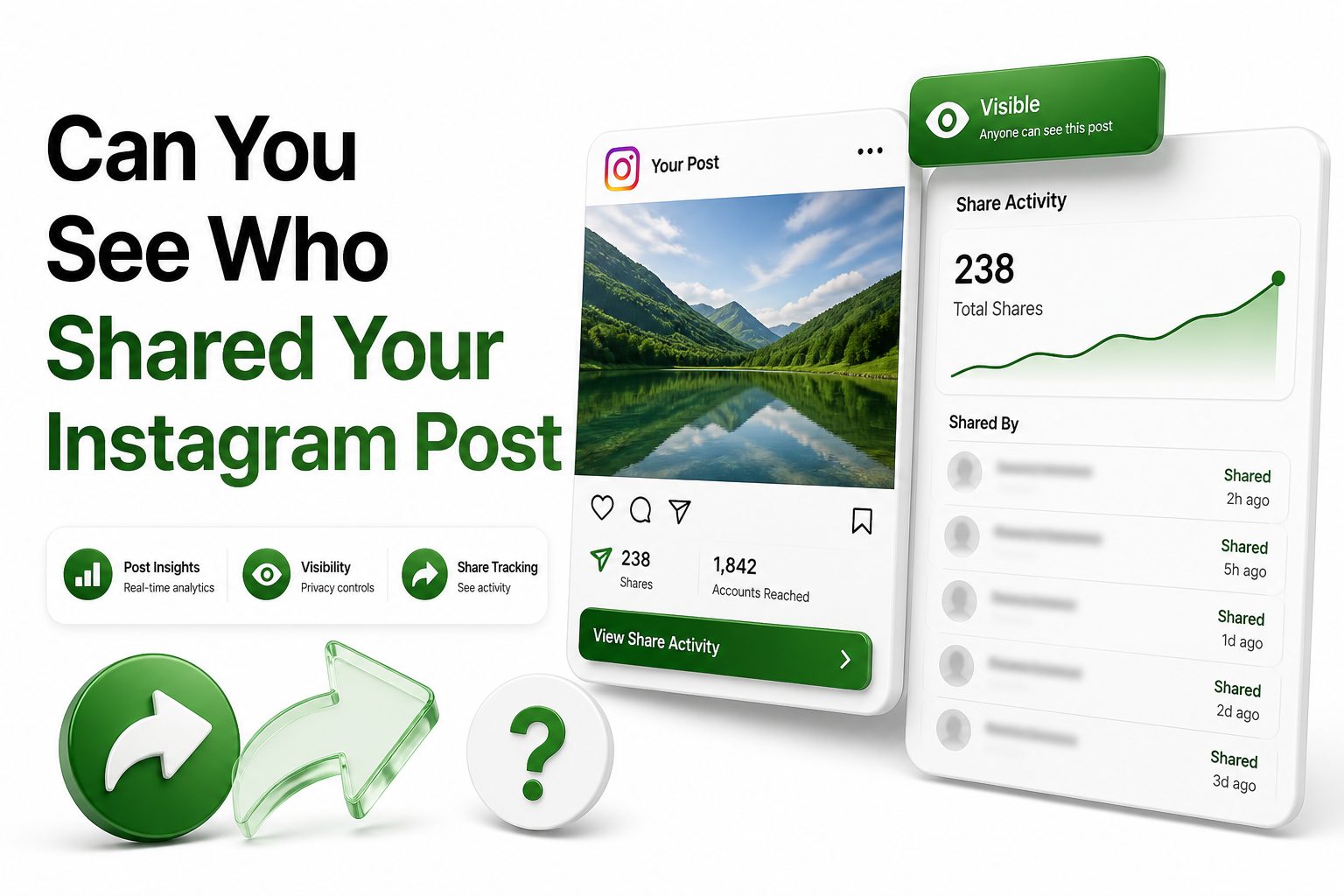
If you have ever posted something on Instagram and watched the share count rise, you have probably wondered the same thing: can you see who shared your instagram post? It is a fair question, especially when a post starts reaching people outside your usual audience. Shares can feel more personal than likes because someone chose to send your content to a friend, add it to a Story, or pass it along in a direct message.
The short answer is that Instagram does not show you a full list of people who shared your post. Depending on your account type and the kind of content you posted, you may be able to see how many times it was shared, but not exactly who shared it. There are a few exceptions, such as visible Story mentions, but most private sharing stays private. This guide explains what Instagram lets you see, what it keeps hidden, and how to use share data in a practical way.
What Instagram Shows About Post Shares
Instagram gives creators and businesses access to performance data through Instagram Insights. If you have a professional account, you can usually see metrics such as reach, likes, comments, saves, profile activity, and shares for eligible posts, reels, and stories.
That share number tells you how often people used Instagram’s sharing options, but it does not identify the individual accounts behind those shares. Instagram treats many sharing actions as private engagement, especially when a post is sent through direct messages.
The Simple Answer About Who Shared Your Post
You cannot see a complete list of users who shared your Instagram feed post. This applies even if your account is public, your content goes viral, or you switch from a personal account to a creator or business profile.
A professional account may show the total number of shares, which is useful for measuring content performance. Still, the platform does not reveal names, usernames, or profiles of people who shared the post privately with others.
Quick Facts About Instagram Shares
- Personal accounts usually have limited access to share metrics.
- Creator and business accounts can access Instagram Insights.
- Insights may show the number of shares, not the people who shared.
- Shares through direct messages are private.
- Story reshares may be visible only when the person tags your account.
- Private account sharing is more restricted than public account sharing.
- Third-party apps cannot reliably show who shared your Instagram post.
Why Instagram Does Not Reveal Every Sharer
Instagram protects private interactions between users. When someone sends your post to a friend in a direct message, that exchange is treated like a private conversation rather than a public endorsement of your content.
This privacy-first setup is why you can see a share count but not the full identity behind every share. It helps people share freely without feeling that every action will be reported back to the original creator.
How Instagram Insights Helps With Share Data
Instagram Insights is the best official place to check share numbers. According to Instagram’s Help Center, Insights are available for business and creator accounts and show performance metrics for content you have created: https://www.facebook.com/help/instagram/788388387972460
To use it, open a post or reel and tap View Insights if the option appears. You may see a paper airplane icon or a shares metric, depending on your app version, region, account type, and the format of the content.
Share Visibility Comparison
Content type | Can you see share count | Can you see who shared it
Feed post | Often with professional account | No
Carousel post | Often with professional account | No
Reel | Often with professional account | No
Story | Limited insights available | Viewers and tagged reshares may be visible
Direct message share | Count may appear in insights | No
Story mention share | Sometimes visible if tagged | Yes, if your account is mentioned
How To Check Instagram Post Shares
Start by making sure your account is set as a creator or business account. Then go to your profile, open the post you want to review, and tap View Insights below the content if that option is available.
Look for the share metric, often represented by the paper airplane icon. This number shows how many times your content was shared, but it should be read as a performance signal rather than a list of identifiable users.
What To Do If You Cannot See Share Counts
If you do not see share counts, your account may still be personal, the post may not have enough data, or the feature may not be available for that content type. Instagram also changes insight layouts from time to time.
You can try switching to a professional account, updating the app, checking a different post, or reviewing insights from the Professional Dashboard. Keep in mind that older posts may not always show the same level of detail.
Checklist Before Checking Shares
- Confirm your account is a creator or business account.
- Update the Instagram app to the latest available version.
- Open the post directly from your profile grid.
- Tap View Insights under the post.
- Look for the paper airplane or shares metric.
- Compare shares with reach, saves, and comments.
- Avoid third-party apps promising hidden sharer lists.
Can You See Story Reshares On Instagram
Story reshares work differently from private shares. If someone shares your post to their Story and tags your account, you may receive a notification or see it in your mentions, depending on your settings and the timing.
However, if someone shares your post without tagging you, or sends it privately through messages, you usually will not see who did it. Story visibility also depends on whether the sharer has a public or private account.
When Tagged Story Shares Are Visible
If a public account shares your post to their Story and mentions your username, Instagram may notify you. You can then view the Story while it is live and potentially reshare it to your own Story.
This is one of the few cases where you can identify a person who shared your content. Even then, visibility is limited by privacy settings, expired Stories, account restrictions, and whether the tag was added correctly.
Can You See Who Shared Your Reel
Reels often receive more shares than regular feed posts because they are built for discovery. With a professional account, you can usually check how many times a reel was shared through its insights panel.
Still, Instagram does not show a full list of accounts that shared your reel. You may only know who shared it if they mention you publicly, comment about sharing it, or send you a direct message themselves.
Key Metrics To Review With Shares
- Reach shows how many unique accounts saw your content.
- Views show how many times content was played or displayed.
- Saves show that people found the content worth keeping.
- Comments show active public engagement.
- Shares show that people found the content worth passing along.
- Profile visits show whether the post encouraged deeper interest.
- Follows show whether the content attracted a new audience.
Public Accounts Versus Private Accounts
Public accounts make content easier to share across Instagram. Anyone can view public posts and reels unless the content is restricted, removed, or limited by account settings. This can increase reach and share volume.
Private accounts have tighter limits. Only approved followers can see and share private content, and shared content remains restricted to people who are allowed to view the private account’s posts.
How Privacy Settings Affect Sharing
Your privacy settings shape who can see your posts, reels, and stories. Public accounts are better suited for creators, brands, and businesses that want share-driven growth, while private accounts are better for controlled personal visibility.
If you care about reach, a public professional account gives you better analytics. If you care more about privacy, a private account limits exposure but also reduces the amount of useful performance data you can collect.
Do Third-Party Apps Show Who Shared Your Post
No reliable third-party app can show a hidden list of people who shared your Instagram post. Tools that claim to reveal private sharers are usually misleading, outdated, or risky for your account security.
Instagram’s private sharing data is not available to ordinary apps in a way that reveals individual users. Handing over your login to suspicious tools can expose your account, messages, and personal information.
Risks Of Using Share Tracking Apps
Apps promising secret Instagram share lists often rely on fake claims. Some may ask for your password, scrape your account, trigger suspicious login activity, or sell low-quality analytics that Instagram does not officially support.
A safer approach is to use Instagram Insights, Meta’s official tools, and reputable social media management platforms for performance trends. For content planning help, read [Internal Link: Instagram Content Strategy].
Safer Ways To Track Share Performance
Method | Best for | Main limitation
Instagram Insights | Official share and reach data | No sharer names
Professional Dashboard | Account-wide trends | Requires professional account
Story mentions | Visible public reshares | Only when tagged
UTM links in bio | Website traffic tracking | Does not track post shares directly
Campaign hashtags | Public conversation tracking | Depends on user participation
Comments and DMs | Qualitative feedback | Manual and incomplete
Why Share Count Matters For Growth
Shares are one of the strongest signals that your content has value beyond a quick reaction. When someone shares a post, they are telling Instagram and another person that the content is worth attention.
A high share count can mean your post is useful, funny, relatable, timely, or emotionally clear. For brands and creators, shares often reveal what your audience wants more accurately than likes alone.
What A High Share Count Can Mean
A tutorial with many shares may answer a common problem. A meme with many shares may capture a shared feeling. A product post with many shares may suggest strong interest, even if people are not ready to buy yet.
The context matters. A post with fewer likes but many shares can be more valuable than a post with many likes and no deeper action. Shares often point to content people want to discuss privately.
How To Create More Shareable Instagram Posts
Shareable content usually gives people a reason to pass it along. That reason can be practical, emotional, social, or entertaining. The clearer the value, the more likely someone is to share it.
Focus on one strong idea per post. Carousels, short reels, checklists, comparisons, and opinion-led posts often perform well because people can quickly understand why someone else might benefit from seeing them.
Content Types That Often Get Shared
Educational carousels are highly shareable because they package useful information in a format people can send to friends or save for later. Think tips, mistakes to avoid, step-by-step lessons, and short industry explanations.
Relatable reels also tend to travel well. If a viewer thinks, “That is exactly me,” they may send it to a friend immediately. This kind of private sharing can drive reach even when public comments stay quiet.
Tips For Making Posts More Shareable
- Lead with a clear, specific idea.
- Use simple wording that people can repeat.
- Create carousels with useful takeaways.
- Make reels short enough to rewatch.
- Add examples your audience recognizes.
- Avoid cluttered graphics and tiny text.
- Use captions that add context, not filler.
- End with a natural reason to share.
How To Read Shares Alongside Saves
Shares and saves both indicate stronger engagement, but they mean different things. Saves usually suggest personal value, while shares suggest social value. A person saves content for themselves and shares content for someone else.
If a post gets many saves but few shares, it may be useful but private. If it gets many shares but fewer saves, it may be timely, entertaining, or conversation-worthy. Both signals can guide your future content.
Practical Example For Creators
A fitness coach might post a carousel called “Five form mistakes that cause knee pain.” High saves would suggest people want to return to it during workouts. High shares would suggest viewers know someone else who needs it.
A local restaurant might post a reel showing a weekend special. Shares could mean people are sending it to friends while making plans. That may be more commercially useful than likes from people who never visit.
What Share Data Cannot Tell You
Share data does not explain everything. You will not know the exact conversation around your post, why someone shared it, or whether the recipient reacted positively unless they engage publicly or message you.
You also cannot assume every share means approval. Some people share content to debate, question, bookmark socially, or react privately. Treat shares as a strong signal, but always compare them with comments, saves, follows, and traffic.
Common Misreadings Of Instagram Shares
A sudden increase in shares does not automatically mean your content is going viral in a positive way. Review comments, sentiment, follower changes, and profile visits to understand what is actually happening.
Likewise, a low share count does not mean a post failed. Some content builds trust, answers buyer objections, or supports loyal followers without becoming highly shareable. Good Instagram strategy uses different post types for different goals.
Important Notes For Brands And Creators
- Shares are useful, but they are not the only success metric.
- Private sharing can drive reach without visible public engagement.
- Comments help explain the mood behind a post.
- Saves often show long-term usefulness.
- Profile visits show deeper interest.
- Website clicks or DMs matter more for sales goals.
- One post should not define your entire content strategy.
How To Respond When Someone Shares Your Post Publicly
When someone tags you in a Story share, respond while the Story is still live. A quick thank-you, repost, or short reply can turn a simple share into a stronger relationship with that follower.
For brands, public reshares are social proof. You can add them to a Story highlight, share user-generated content with permission, or use the moment to start a friendly conversation without making it feel scripted.
Best Practices For Reposting Story Mentions
Always check the context before resharing a mention. If the person added a personal comment, make sure the repost still feels appropriate. When in doubt, reply privately and ask before using their content more broadly.
Avoid overloading your Stories with every single mention. Choose the ones that fit your brand, help your audience, or show genuine customer experience. For more planning ideas, see [Internal Link: Social Media Engagement Tips].
How Businesses Can Use Share Insights
Businesses should use share data to identify messages that customers are willing to pass along. This can reveal pain points, product interests, seasonal demand, and content angles worth repeating.
For example, if a skincare brand sees high shares on a post about sunscreen mistakes, that topic may deserve a reel, email, blog post, and product education campaign. Share data can inform more than Instagram content.
Using Shares In A Content Review
Review your top shared posts every month. Look for patterns in format, topic, hook, caption style, timing, and audience response. Do not copy the same post repeatedly, but reuse the lesson behind it.
A simple spreadsheet can help. Track post type, topic, reach, saves, shares, comments, follows, and profile visits. Over time, you will see which content people merely notice and which content they actively pass along.
Monthly Share Review Checklist
- List your top five posts by shares.
- Note the format of each post.
- Identify the main topic or angle.
- Compare shares with saves and comments.
- Check whether the post gained followers.
- Review audience sentiment in comments.
- Turn strong topics into new content ideas.
- Keep testing instead of relying on one result.
Can You Stop People From Sharing Your Instagram Post
You cannot fully control every sharing behavior on a public account, but you can reduce exposure by changing privacy settings, limiting Story sharing options, removing content, blocking accounts, or switching to a private profile.
For reels, Instagram provides sharing and remix-related settings that may vary by account and region. Public content is designed to travel, so creators should assume that anything posted publicly may be shared beyond the original audience.
When A Private Account Makes More Sense
A private account is better if you only want approved followers to see your content. This is common for personal profiles, family content, private communities, or anyone who wants more control over visibility.
The trade-off is reduced reach and weaker analytics. If your goal is business growth, creator reach, or content discovery, a public professional account usually gives better tools and more opportunity to learn from share behavior.
Final Thoughts
Instagram gives you useful share data, but it does not give you a private list of every person who shared your content. That boundary matters. It protects user privacy while still giving creators, businesses, and brands enough information to judge which posts are spreading.
The best way to use this information is to focus on patterns. Look at which posts earn shares, compare them with saves and comments, and use those signals to shape future content. If you are asking can you see who shared your instagram post, the honest answer is no in most cases, but you can still learn a lot from the share count itself. Treat shares as a clue about what your audience values enough to pass along, then create more content that earns that kind of response naturally.
FAQ
Can Instagram show who shared my post?
Instagram does not show a full list of people who shared your post. With a creator or business account, you may see the number of shares in Insights, but private sharer identities remain hidden.
Why can I see shares on some posts but not others?
Share visibility can depend on your account type, app version, content format, region, and available data. Professional accounts usually get more insights than personal accounts, but Instagram may not show every metric for every post.
Can someone know if I share their Instagram post?
If you send their post through direct message, they usually cannot see that you shared it. They may see a share count in Insights, but your username is not shown for private shares.
Can I see who shared my post to their Story?
You may see it if the person tags your account and the Story is still active. If they do not mention you, or their account is private, you may not receive any visible notification.
Are apps that reveal Instagram sharers safe?
Most apps claiming to reveal hidden Instagram sharers are not trustworthy. Instagram does not provide that private data publicly, so these tools may be inaccurate, misleading, or risky for your account security.
0 Comments